
A better way to watch IPTV.
Elegant. Fast. Effortless. Telemac player is designed for a seamless streaming experience across all your devices.
Experience a smarter way to watch IPTV. Fast, elegant, and designed to make streaming effortless across all your devices.
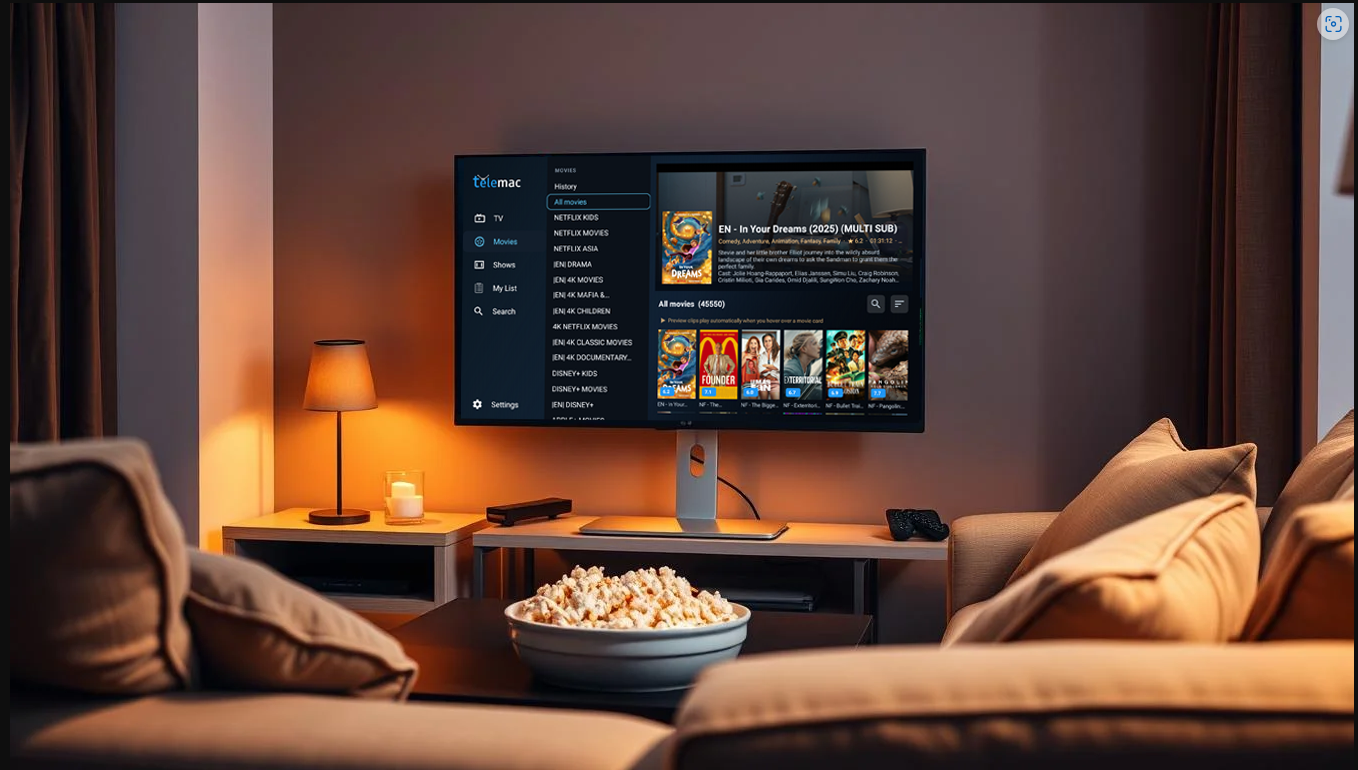

Telemac Player
Telemac Player is built specifically for Android TV platforms such as Amazon Firestick
NVIDIA Shield, Chromecast with Google TV, and other Android TV devices. It does not include any built-in channels or media content; users must supply their own IPTV service using a playlist (M3U link or Xtream Codes credentials) to stream live television. The app is tailored for larger screens, featuring an intuitive, streamlined design that delivers a smooth browsing experience similar to traditional cable TV
CLICK HERE to visit our IPTV Subscription Site to get your own Xtreme Codes Channels.
Designed to feel simple.
Designed for remote-control simplicity and big-screen comfort.
Telemac Player turns your Fire TV device into a fast, elegant home for live IPTV, movies, series, and more.

Fast performance
Launch instantly and stream IPTV without interruptions.

Clean interface
A distraction-free design focused on content.

Built for the sofa
Fire IPTV focused navigation with clear sections.
Made for everyday viewing
Favourites, reminders and resume playback.

Stunning quality
Enjoy HD and 4K playback with smooth streaming.

Easy setup
Add your playlist and start watching in seconds.

Works with your service
Xtream Codes and M3U support with EPG.

Simple. Fast. Built for Fire TV.
Telemac Player gives you one place to watch, browse and enjoy IPTV
What Telemac Player Does
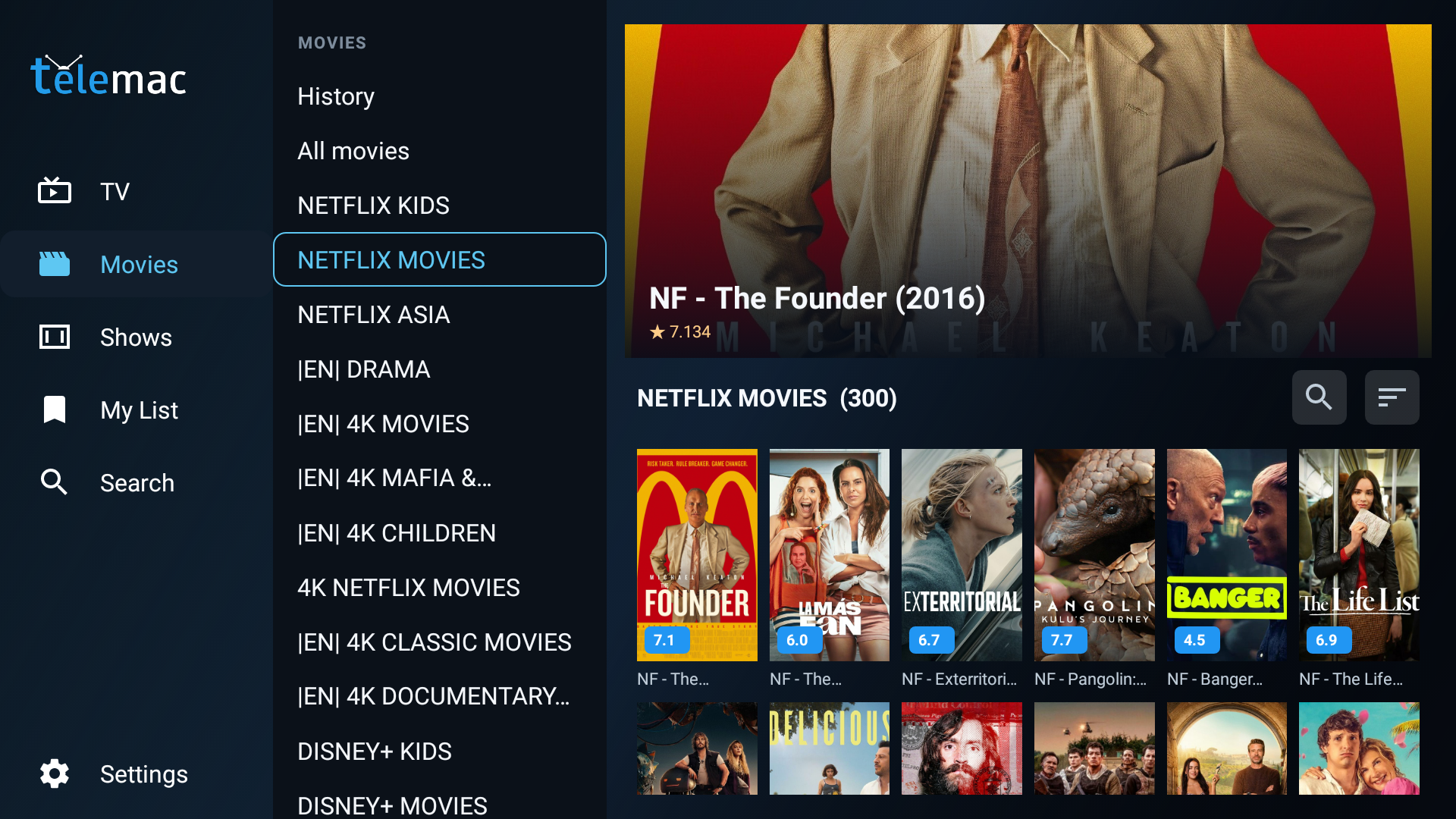
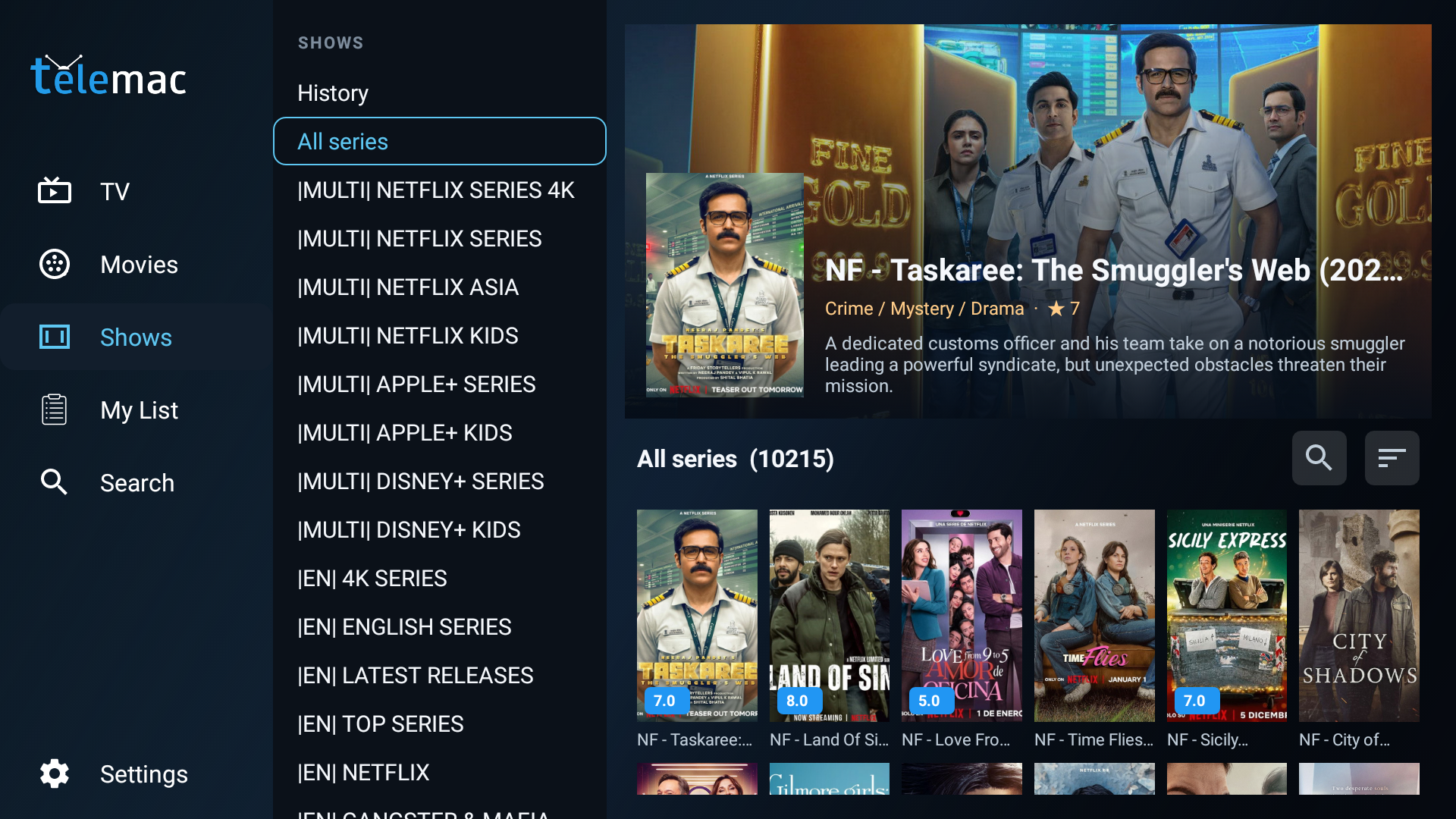
Telemac Player is a premium-style player application for Amazon Fire TV and Android TV style viewing. It helps customers browse live channels, explore movies and series, view programme schedules, launch catch-up where supported by the provider, and organise the content they care about most.
Why Customers Like It
Customers want a player that feels reliable on a television, not a phone app stretched onto a big screen. Telemac Player focuses on what matters most: fast browsing, clear structure, remote-friendly control, and easy access to both live and on-demand content.
IPTV
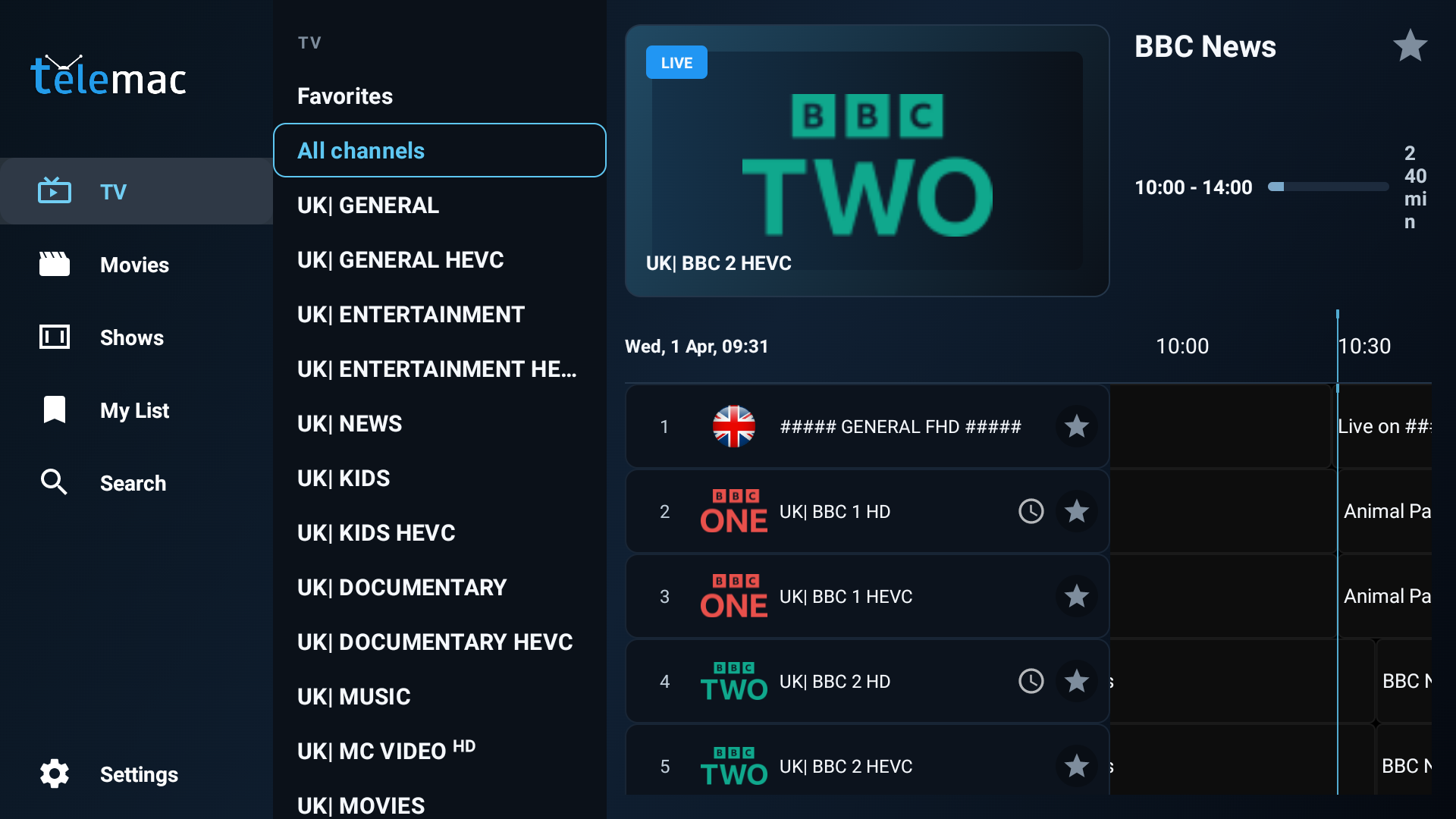
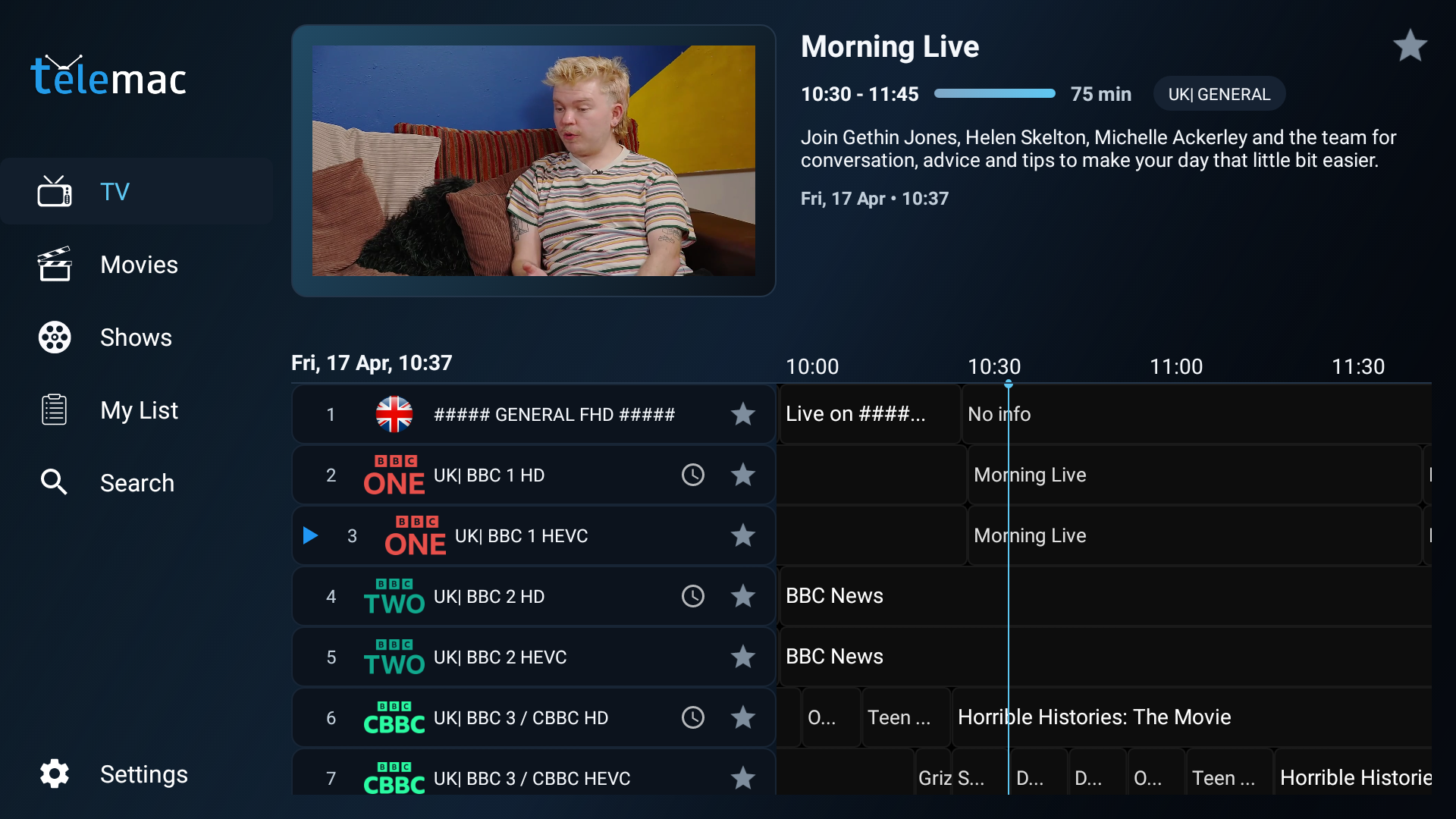
Watch live channels in a clean TV-first interface with categories, logos, programme details, and a fast timeline guide.
EPG
Browse now and next information, move through the guide timeline, and view programme titles, times, and descriptions.
VOD
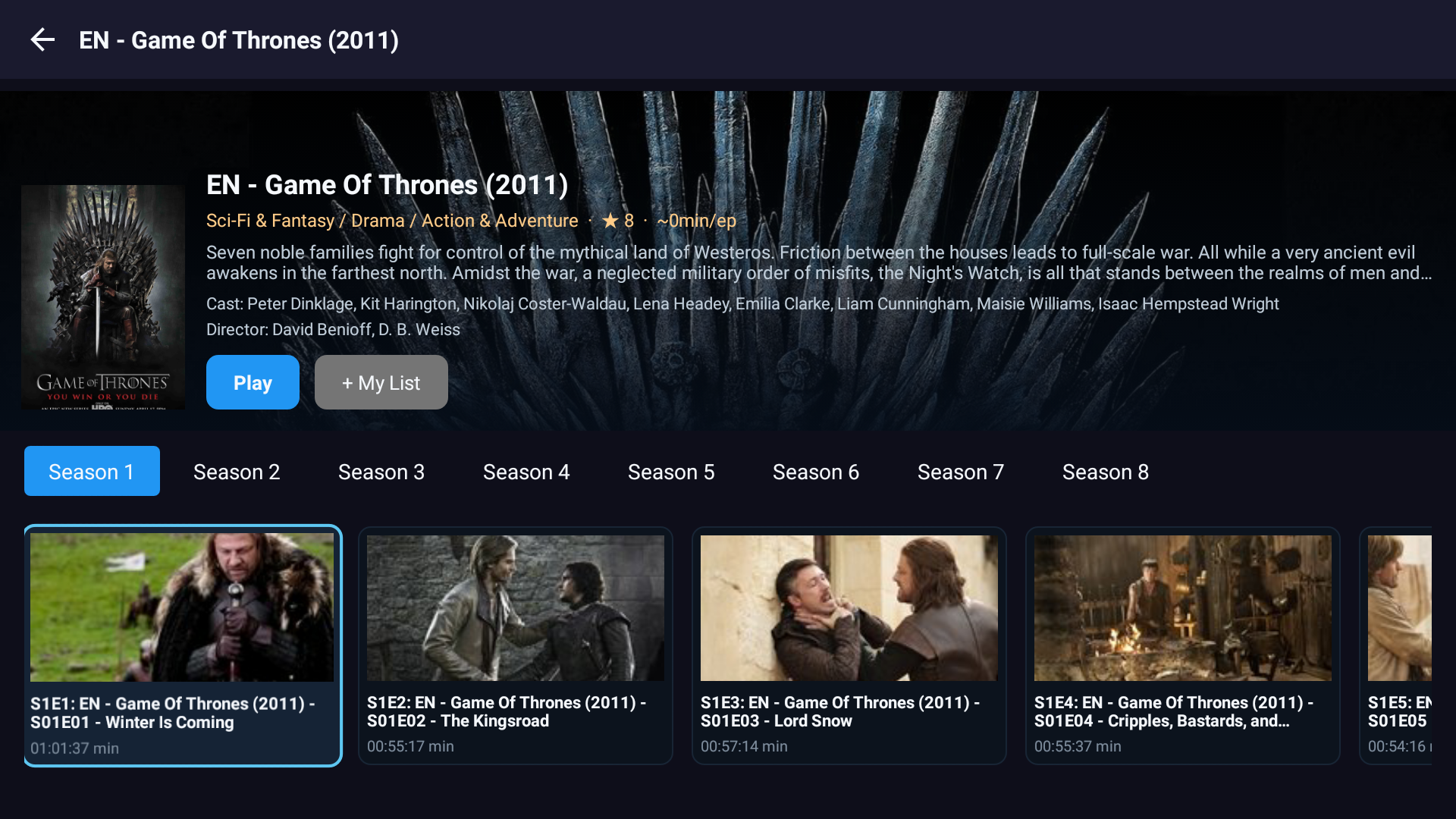
Open dedicated Movies and Shows sections with poster artwork, detail pages, and direct playback.
Catch Up
Launch catch-up programmes from past guide entries when your IPTV provider supports catch-up on that channel.
MY
Save channels, films, and series into My List and keep favourite channels close at hand.
GO
Search across live TV, movies, and series from one place instead of jumping between separate menus.

One place to watch.
Telemac Player gives Fire IPTV users one place to watch, browse, search, organise, and enjoy content with confidence.
Whether customers want live channels, catch-up, films, series, reminders, or a better way to manage playlists and favourites, Telemac Player delivers a focused television-first experience designed for everyday use.

“
Download Telemac Player.!
Start watching your content in a cleaner, smarter way.
Works everywhere.
Compatible with Smart TVs, Firestick, Android, iOS and more — so your content is always within reach.

Andy Pringle, Developer

FAQ
What is Telemac Player?
Telemac Player is a media player that allows you to stream live IPTV, movies, and series using your own playlists (such as M3U or Xtream Codes). It does not provide content itself.

⭐⭐⭐⭐⭐ (5/5) – James Carter
Great player! Telemac runs smoothly and loads channels fast without buffering. The interface is clean and easy to navigate, even for beginners. Definitely one of the best players I’ve used.
⭐⭐⭐⭐☆ (4/5) – Maria Lopez
Very solid app overall. Streaming quality is excellent and it supports multiple playlists without issues. Would love to see more customization options, but it works great as it is.
⭐⭐⭐⭐⭐ (5/5) – Daniel Hughes
Telemac Player exceeded my expectations. Setup was simple, and it handles large channel lists perfectly. The EPG integration is also very accurate. Highly recommended!
⭐⭐⭐⭐☆ (4/5) – Sophie Martin
Good and stable IPTV playback. I’ve tried many IPTV players, and this one stands out for its speed. Sometimes the UI could be a bit more modern, but functionality-wise it’s excellent.
⭐⭐⭐⭐⭐ (5/5) – Ahmed Khan
Absolutely love this IPTV player! No crashes, no lag, and it works flawlessly on my device. The channel switching is super fast, which is a big plus. It even runs on my Samsung Phone
⭐⭐⭐⭐☆ (4/5) – Luca Rossi
Reliable and easy to use player. Works well with my playlists and rarely buffers. A few minor improvements could make it perfect, but still a great choice.